Shizuku Android 16 Pairing: Fix Wireless Debugging
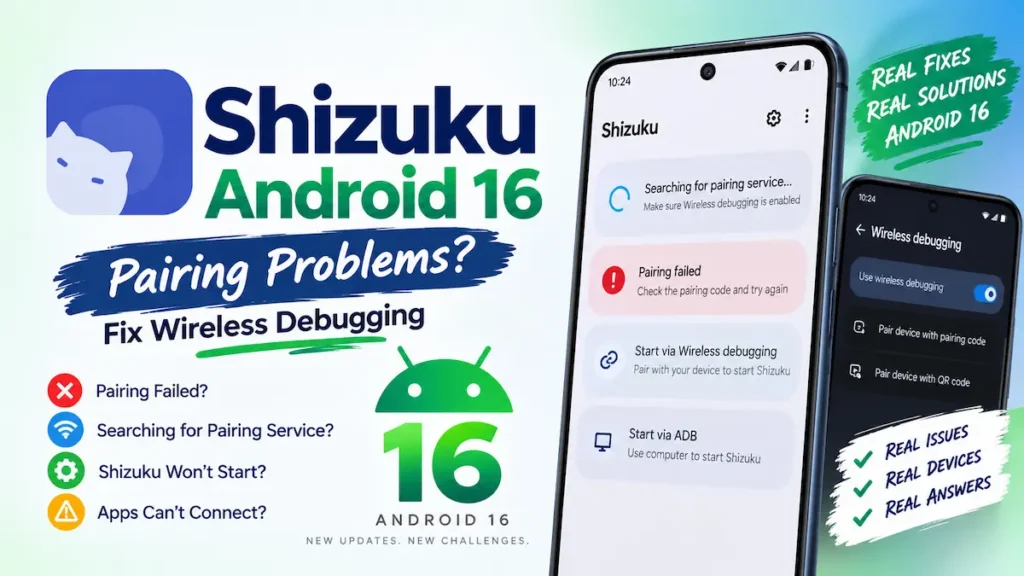
Android 16 users can still run into Shizuku wireless-debugging problems even when the pairing process appears to work. The reason is that “pairing failed” and “Shizuku failed to start” are not always the same problem.
The official Shizuku 13.6.0 release added support for Android 16 QPR1, but reports in the project’s issue tracker show several different Android 16 failures.
First, identify where it fails
If you are stuck with Shizuku on Android 16, check the exact stage:
| What you see | What it points to |
|---|---|
| Pairing code never works | Pairing stage |
| “Searching for pairing service” | Wireless-debugging discovery |
| Pairing succeeds but Start fails | Shizuku startup |
| Shizuku says running, but another app cannot connect | App/Shizuku communication |
| Shizuku works but Android/data access fails | Separate Android or app-level restriction |
This distinction matters because reinstalling the APK will not necessarily fix a wireless-debugging or Android-system problem.
If pairing succeeds but Shizuku will not start
The official Shizuku guide recommends disabling and re-enabling Wireless debugging when startup fails. Shizuku’s documentation also confirms that wireless startup is supported on Android 11 and newer.
On Android 16, however, there are documented reports where the failure goes beyond a normal pairing mistake. One Android 16 QPR1 Beta report showed Shizuku failing to start through both wireless ADB and regular ADB after the system update.
So if you have already paired correctly and the service still will not start, do not assume that entering the pairing code again is the answer.
If Shizuku says “Searching for pairing service”
Shizuku’s official documentation says this message can occur when the app cannot access the local network properly, including cases where a phone manufacturer’s background restrictions prevent the app from running while it is not visible.
On Android 16, check whether your phone is restricting Shizuku in the background before changing versions.
The exact settings depend on the phone manufacturer, so there is no single Android 16 menu that applies to every device.
If Shizuku is running but your app cannot connect
This is a different problem.
Current Android 16 reports include cases where Shizuku reports an active ADB connection while supported applications still cannot communicate with it. A Redmi Note 14 4G running HyperOS 2.0.209, for example, was reported to show Shizuku as running while several apps remained stuck connecting.
That means the green “running” status alone does not prove that every Shizuku-dependent app will work correctly.
Check the specific application’s Shizuku permission and whether that application actually supports the Shizuku API.
Don’t downgrade immediately
An older Shizuku APK is not automatically a fix for an Android 16 wireless-debugging problem.
The official 13.6.0 release specifically added Android 16 QPR1 support.
There are also Android 16 reports involving 13.6.0 itself, but they describe different problems on different devices. For example, a July 2026 report documented a wireless-ADB startup error involving an old Shizuku process.
If you need to verify the APK build you are using, you can download Shizuku apk from our main page and compare its version with the official release information before changing anything.
When the problem isn’t pairing
Some Android 16 Shizuku problems happen after the service has already started.
A current issue involving Android 16 QPR2 reported loss of Shizuku-based access to the Android folder after a Google Play system update. Another Galaxy Z Fold 7 report showed Shizuku running while supported file managers still could not access Android/data.
Those cases should not be treated as ordinary pairing failures.
The practical check
Before reinstalling Shizuku, ask three questions:
Android 16 does support Shizuku, but current reports show that compatibility is not identical across every device, Android 16 build, and Shizuku-dependent task. Treat the exact symptom as the starting point instead of assuming every failure is a bad pairing code.